Finding ideas worth making
Students start the year by turning their own interests and experiences into ideas for short videos, audio clips, podcasts, or digital images. They sketch out concepts before touching the software.
This is the year media projects start carrying a real point of view. Students plan a video, podcast, or digital design from a first idea to a finished piece, pulling from their own lives and what they see in the world around them. They learn to revise their work based on feedback and to talk about why someone else's media lands or falls flat. By spring, they can present a finished media project and explain the choices behind it.
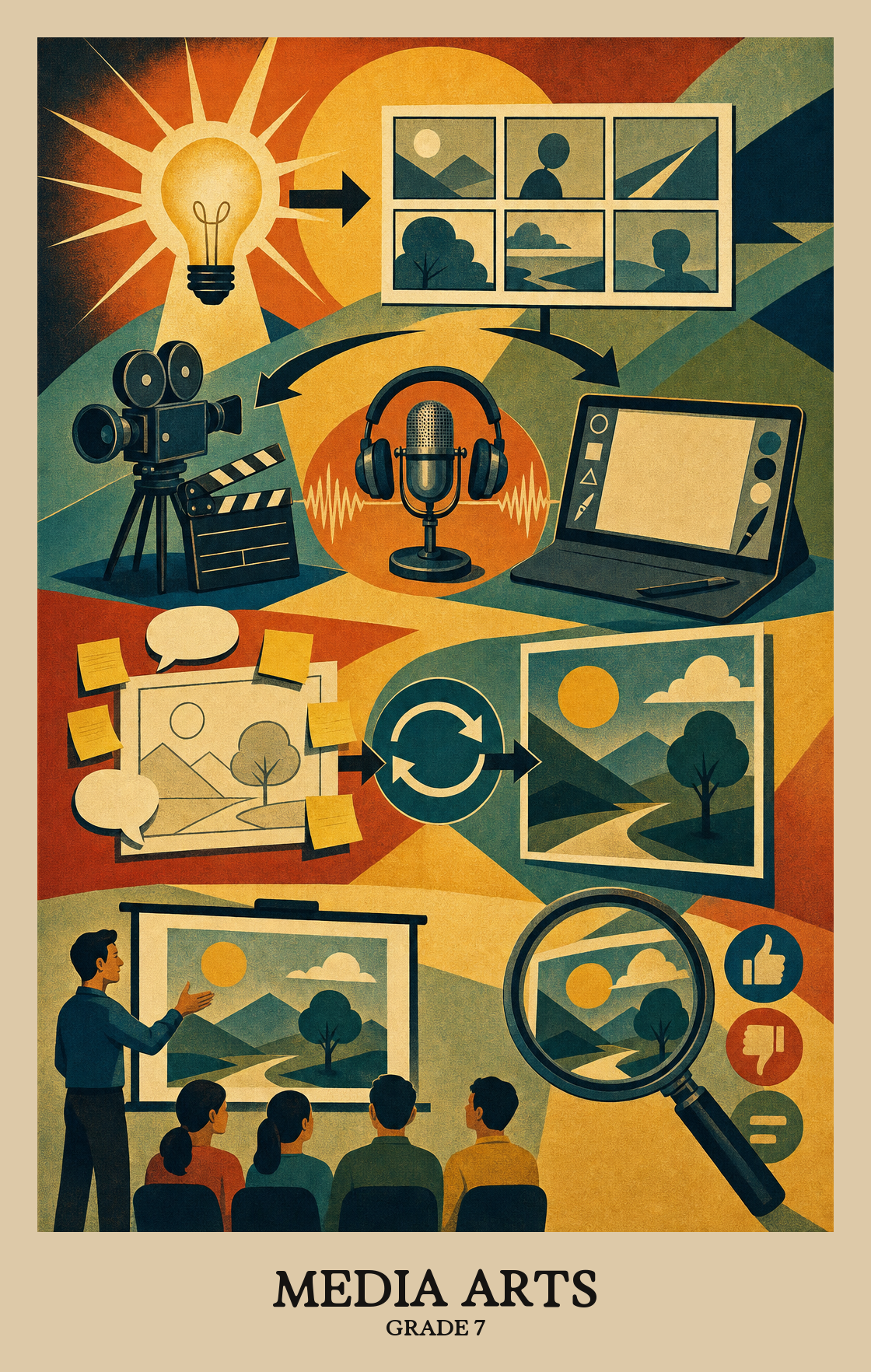
Students start the year by turning their own interests and experiences into ideas for short videos, audio clips, podcasts, or digital images. They sketch out concepts before touching the software.
Students organize their ideas into something a viewer or listener can follow. They draft storyboards, scripts, or shot lists and start producing real pieces with cameras, microphones, or editing apps.
Students revise their projects with a clear audience in mind. They cut what does not work, adjust pacing and sound, and decide how each piece will be shown to the class or shared online.
Students study work made by professionals and classmates. They describe what choices the maker took, guess at the message, and use shared criteria to judge how well a piece does its job.
Students connect their projects to the culture, history, and communities around them. They look at how media shapes opinion and how their own work fits into a larger conversation.
Students connect what they already know and what they've lived through to the media art they create, letting personal experience shape their choices in the work.
Students look at a piece of media art and figure out what was happening in the world when it was made. They connect the work to the culture or moment it came from to understand why it looks and feels the way it does.
| Standard | Definition | Code |
|---|---|---|
| Synthesize and relate knowledge and personal experiences to make art | Students connect what they already know and what they've lived through to the media art they create, letting personal experience shape their choices in the work. | MA:Cn10.7 |
| Relate artistic ideas and works with societal, cultural | Students look at a piece of media art and figure out what was happening in the world when it was made. They connect the work to the culture or moment it came from to understand why it looks and feels the way it does. | MA:Cn11.7 |
Students brainstorm and develop original ideas for media art projects, deciding what story, message, or effect they want to create before they start building.
Students plan and refine a media arts project by making deliberate choices about images, sound, or text. They revise their work until the piece communicates what they intended.
Students revisit a media arts project, make specific changes based on feedback or their own review, and bring it to a finished state.
| Standard | Definition | Code |
|---|---|---|
| Generate and conceptualize artistic ideas and work | Students brainstorm and develop original ideas for media art projects, deciding what story, message, or effect they want to create before they start building. | MA:Cr1.7 |
| Organize and develop artistic ideas and work | Students plan and refine a media arts project by making deliberate choices about images, sound, or text. They revise their work until the piece communicates what they intended. | MA:Cr2.7 |
| Refine and complete artistic work | Students revisit a media arts project, make specific changes based on feedback or their own review, and bring it to a finished state. | MA:Cr3.7 |
Students review a collection of media pieces and choose which ones to present, explaining why each selection fits the purpose and audience of the show or exhibition.
Students review and improve their media projects before sharing them, making deliberate choices about how the final piece looks, sounds, or flows.
Students choose how to share a media piece so the audience understands the intended message. The format, framing, and sequence all support what the work is trying to say.
| Standard | Definition | Code |
|---|---|---|
| Analyze, interpret, and select artistic work for presentation | Students review a collection of media pieces and choose which ones to present, explaining why each selection fits the purpose and audience of the show or exhibition. | MA:Pr4.7 |
| Develop and refine artistic techniques and work for presentation | Students review and improve their media projects before sharing them, making deliberate choices about how the final piece looks, sounds, or flows. | MA:Pr5.7 |
| Convey meaning through the presentation of artistic work | Students choose how to share a media piece so the audience understands the intended message. The format, framing, and sequence all support what the work is trying to say. | MA:Pr6.7 |
Students look closely at a media artwork (a video, website, or ad) and explain what they notice about how it was made and what message it sends.
Students explain what a media artist was trying to say and why specific choices, like color, sound, or camera angle, create that meaning.
Students use a set of criteria to judge a piece of media art, explaining what works, what doesn't, and why. The criteria act as a checklist that keeps the evaluation grounded in specific evidence rather than personal taste alone.
| Standard | Definition | Code |
|---|---|---|
| Perceive and analyze artistic work | Students look closely at a media artwork (a video, website, or ad) and explain what they notice about how it was made and what message it sends. | MA:Re7.7 |
| Interpret intent and meaning in artistic work | Students explain what a media artist was trying to say and why specific choices, like color, sound, or camera angle, create that meaning. | MA:Re8.7 |
| Apply criteria to evaluate artistic work | Students use a set of criteria to judge a piece of media art, explaining what works, what doesn't, and why. The criteria act as a checklist that keeps the evaluation grounded in specific evidence rather than personal taste alone. | MA:Re9.7 |
Media arts covers things students watch and make on screens, like short videos, podcasts, animations, photo essays, and simple game or web projects. Students learn to plan an idea, produce it with tools like a phone or laptop, and share it with an audience.
Expect short videos, podcasts, animated clips, edited photos, or simple interactive pieces. Most projects start with a plan or storyboard, move through filming or recording, and end with editing and a final share. Ask to watch the rough cut before the final version.
Ask three quick questions: who is this for, what should they feel, and what is the one main idea. Most blocks come from a fuzzy plan, not from the editing software. Ten minutes of talking through the idea usually unsticks the work.
Start with short, low-stakes pieces that build one skill at a time, like framing a shot or recording clean audio. Move to projects that combine skills, then end with a longer piece students plan, produce, and revise. Build in reflection after each unit.
Students can take an idea from rough sketch to finished piece, make choices about sound, image, and pacing on purpose, and explain why those choices fit the message. They can also give and take feedback without scrapping the whole project.
No. A phone camera, free editing apps, and a quiet room handle most projects at this level. What matters more is a clear plan and a willingness to revise. Headphones help when editing audio.
Audio quality, pacing, and revision tend to lag behind camera work and visual effects. Students also struggle to tie creative choices back to a clear purpose. Build short critique routines that ask why a choice was made, not just whether it looks good.
Ask what the maker wanted the audience to feel, and what choices created that feeling. Notice music, camera angles, cuts, and silence. These same conversations about a favorite show or video help students think like a maker, not just a viewer.