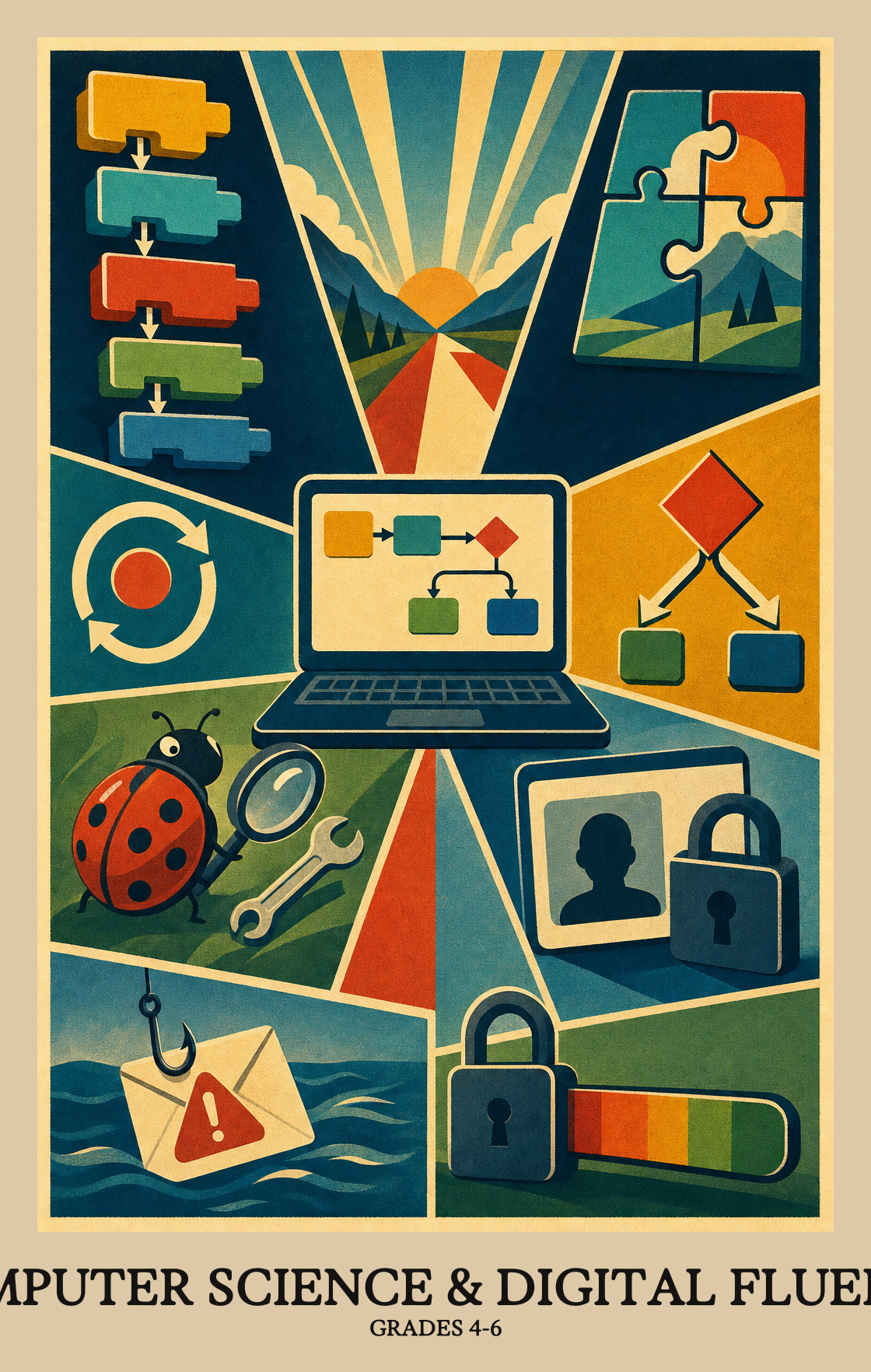
This is the stretch when students stop just using computers and start thinking like the people who build them. Students break a problem into smaller steps, write short programs that repeat actions or make choices, and debug their own code when it does not work. They also learn to protect personal information online and notice when an app or message looks suspicious. By spring, students can plan, write, and fix a simple program and explain why a strong password matters.
How the year usually goes. Every school and district set their own curriculum, so treat this as a guide, not official pacing.
1
Getting comfortable with the computer
Students build steady typing habits and learn the parts of a computer that work together to open an app or save a file. They start picking the right tool for the job, whether that means a doc, a slide, or a drawing app.
2
Staying safe online
Students learn what counts as personal information and why some of it needs protection. They practice strong passwords, spot suspicious pop-ups or messages, and talk through what happens when a post or photo lives online for a long time.
3
Thinking like a programmer
Students break a big task into smaller steps and notice when the same step repeats with small changes. They write simple programs that use loops and if-then choices, then walk through each step to find and fix bugs.
4
Working with data
Students gather real information about a question that matters to them, like recess weather or lunch choices. They turn the numbers into a chart or graph that tells a clear story and helps convince a reader.
5
Designing better tech for people
Students study how networks move information from one device to another and where files actually live. They also look at apps and websites with fresh eyes, suggesting changes that would make them easier for more people to use.
Mastery Learning Standards
The required skills a student should display by the end of Grade 4.
Students build a simple model (like a spreadsheet or a program) where changing one number or setting visibly changes the result. The goal is seeing how inputs drive outputs.
Students pick a real question they care about, then gather data using digital tools to help answer it. Think of it like a science experiment where the clipboard is a spreadsheet or an app.
Students take a set of numbers or facts and turn them into a chart or graph that makes a pattern easy to see. The goal is to show the data in a way that helps convince someone of a point.
Breaking a big problem into smaller pieces is the core skill here. Students practice splitting a task into named steps, then breaking those steps into even smaller steps until the whole problem is manageable.
Students spot a step in a problem that repeats with small changes each time, like greeting each classmate by name rather than writing a separate greeting from scratch. Recognizing that pattern is the first step to solving problems more efficiently.
Students look at two different sets of steps that solve the same problem and decide which one is faster, simpler, or more reliable. It's the same thinking a cook uses when comparing two recipes for the same dish.
Students spot which numbers, names, or settings in a program can change while it runs. Think of a score that goes up in a game or a timer counting down.
Students write step-by-step instructions that tell a computer to repeat actions or make choices, like looping a shape across the screen or changing what happens when a user clicks something.
Students trace through a program step by step, spotting where a loop repeats too many times or where an "if/else" choice sends the code down the wrong path.
Students explain the choices they made while building a project, including what they tried, what did not work, and how they changed their plan to make it better.
Some information, like a password or home address, can cause real harm if the wrong person sees it. Students learn to tell the difference between information that's safe to share and information worth keeping private.
Students learn what basic protections keep personal information safe online, such as strong passwords, privacy settings, and not sharing details like a home address with strangers.
Students weigh what happens when they share information online versus keeping it private. Posting something publicly can be useful but also risky, and this standard asks students to explain both sides of that choice.
Students learn how secret codes and encryption keep messages safe from people who shouldn't read them. They explain why scrambling information matters and show how a basic coding method works.
Students learn to spot when an app or device is acting strangely, like sending data without permission or opening on its own, and explain why that behavior might be a sign of a security problem.
Students practice typing on a keyboard with correct hand position and posture. The focus is on building speed and accuracy over time, not just hunting for each key.
Students choose the right app or program for the task at hand, whether that means sharing a document, joining a video call, or working on a project with classmates.
Students learn to search online using more than one keyword or filter at a time to find exactly what they need, not just the first result that shows up.
Students pick the right digital tool for the job, whether that means a drawing app, a slideshow, or a document editor, then use it to build something and improve it based on feedback.
Students name the parts most digital devices share: a screen, input controls, settings menus, and ways to connect to other devices. Recognizing those shared features helps students learn new tools faster.
Once something is posted online, it can be hard or impossible to remove. Students learn to think before they share, because digital actions, like a comment or a photo, can follow them in real life.
Students learn to spot risky online behavior, like sharing personal information with strangers or responding to messages that feel off. Knowing the warning signs helps students make safer choices online.
Students pick a technology, like the internet or a smartphone, and explain how it changed daily life. They also think about how people's habits and cultures shape the way those technologies get built and used.
Students learn how laws shape what people can and cannot do with computers and digital information. Think copyright rules, privacy protections, and who owns the data people share online.
Students look at an app or device and spot changes that would make it easier for more people to use, including people with different abilities or needs. They explain why those changes help.
Students look at real people working in computer science today and notice how different those people are from one another. The goal is to see that this field is open to people from many backgrounds.
Students look at how people actually use a piece of technology, spot what's frustrating or confusing, and suggest specific changes to make it work better.
Students learn how the physical parts of a computer (like the keyboard, screen, and processor) team up with programs to get a job done. Think of it as hardware being the body and software being the instructions telling it what to do.
When a device or app stops working, students figure out what might be wrong and try common fixes, like restarting, checking connections, or updating software.
Students learn how information gets broken into small pieces and sent across a network, like packets traveling through the internet to reach another device.
Data can live on the device in front of you or on a faraway computer connected through the internet. Students explain the difference between storing a file on a laptop versus saving it to the cloud.
Standard
Definition
Code
How inputs change outputs
Grades 4-6
Students build a simple model (like a spreadsheet or a program) where changing one number or setting visibly changes the result. The goal is seeing how inputs drive outputs.
Students pick a real question they care about, then gather data using digital tools to help answer it. Think of it like a science experiment where the clipboard is a spreadsheet or an app.
Students take a set of numbers or facts and turn them into a chart or graph that makes a pattern easy to see. The goal is to show the data in a way that helps convince someone of a point.
Breaking a big problem into smaller pieces is the core skill here. Students practice splitting a task into named steps, then breaking those steps into even smaller steps until the whole problem is manageable.
Students spot a step in a problem that repeats with small changes each time, like greeting each classmate by name rather than writing a separate greeting from scratch. Recognizing that pattern is the first step to solving problems more efficiently.
Students look at two different sets of steps that solve the same problem and decide which one is faster, simpler, or more reliable. It's the same thinking a cook uses when comparing two recipes for the same dish.
Students spot which numbers, names, or settings in a program can change while it runs. Think of a score that goes up in a game or a timer counting down.
Students write step-by-step instructions that tell a computer to repeat actions or make choices, like looping a shape across the screen or changing what happens when a user clicks something.
Students trace through a program step by step, spotting where a loop repeats too many times or where an "if/else" choice sends the code down the wrong path.
Students explain the choices they made while building a project, including what they tried, what did not work, and how they changed their plan to make it better.
Some information, like a password or home address, can cause real harm if the wrong person sees it. Students learn to tell the difference between information that's safe to share and information worth keeping private.
Students learn what basic protections keep personal information safe online, such as strong passwords, privacy settings, and not sharing details like a home address with strangers.
Students weigh what happens when they share information online versus keeping it private. Posting something publicly can be useful but also risky, and this standard asks students to explain both sides of that choice.
Students learn how secret codes and encryption keep messages safe from people who shouldn't read them. They explain why scrambling information matters and show how a basic coding method works.
Students learn to spot when an app or device is acting strangely, like sending data without permission or opening on its own, and explain why that behavior might be a sign of a security problem.
Students practice typing on a keyboard with correct hand position and posture. The focus is on building speed and accuracy over time, not just hunting for each key.
Students choose the right app or program for the task at hand, whether that means sharing a document, joining a video call, or working on a project with classmates.
Students learn to search online using more than one keyword or filter at a time to find exactly what they need, not just the first result that shows up.
Students pick the right digital tool for the job, whether that means a drawing app, a slideshow, or a document editor, then use it to build something and improve it based on feedback.
Students name the parts most digital devices share: a screen, input controls, settings menus, and ways to connect to other devices. Recognizing those shared features helps students learn new tools faster.
Once something is posted online, it can be hard or impossible to remove. Students learn to think before they share, because digital actions, like a comment or a photo, can follow them in real life.
Students learn to spot risky online behavior, like sharing personal information with strangers or responding to messages that feel off. Knowing the warning signs helps students make safer choices online.
Students pick a technology, like the internet or a smartphone, and explain how it changed daily life. They also think about how people's habits and cultures shape the way those technologies get built and used.
Students learn how laws shape what people can and cannot do with computers and digital information. Think copyright rules, privacy protections, and who owns the data people share online.
Students look at an app or device and spot changes that would make it easier for more people to use, including people with different abilities or needs. They explain why those changes help.
Students look at real people working in computer science today and notice how different those people are from one another. The goal is to see that this field is open to people from many backgrounds.
Students look at how people actually use a piece of technology, spot what's frustrating or confusing, and suggest specific changes to make it work better.
Students learn how the physical parts of a computer (like the keyboard, screen, and processor) team up with programs to get a job done. Think of it as hardware being the body and software being the instructions telling it what to do.
When a device or app stops working, students figure out what might be wrong and try common fixes, like restarting, checking connections, or updating software.
Students learn how information gets broken into small pieces and sent across a network, like packets traveling through the internet to reach another device.
Data can live on the device in front of you or on a faraway computer connected through the internet. Students explain the difference between storing a file on a laptop versus saving it to the cloud.
Students build a simple model (like a spreadsheet or a program) where changing one number or setting visibly changes the result. The goal is seeing how inputs drive outputs.
Students pick a real question they care about, then gather data using digital tools to help answer it. Think of it like a science experiment where the clipboard is a spreadsheet or an app.
Students take a set of numbers or facts and turn them into a chart or graph that makes a pattern easy to see. The goal is to show the data in a way that helps convince someone of a point.
Breaking a big problem into smaller pieces is the core skill here. Students practice splitting a task into named steps, then breaking those steps into even smaller steps until the whole problem is manageable.
Students spot a step in a problem that repeats with small changes each time, like greeting each classmate by name rather than writing a separate greeting from scratch. Recognizing that pattern is the first step to solving problems more efficiently.
Students look at two different sets of steps that solve the same problem and decide which one is faster, simpler, or more reliable. It's the same thinking a cook uses when comparing two recipes for the same dish.
Students spot which numbers, names, or settings in a program can change while it runs. Think of a score that goes up in a game or a timer counting down.
Students write step-by-step instructions that tell a computer to repeat actions or make choices, like looping a shape across the screen or changing what happens when a user clicks something.
Students trace through a program step by step, spotting where a loop repeats too many times or where an "if/else" choice sends the code down the wrong path.
Students explain the choices they made while building a project, including what they tried, what did not work, and how they changed their plan to make it better.
Some information, like a password or home address, can cause real harm if the wrong person sees it. Students learn to tell the difference between information that's safe to share and information worth keeping private.
Students learn what basic protections keep personal information safe online, such as strong passwords, privacy settings, and not sharing details like a home address with strangers.
Students weigh what happens when they share information online versus keeping it private. Posting something publicly can be useful but also risky, and this standard asks students to explain both sides of that choice.
Students learn how secret codes and encryption keep messages safe from people who shouldn't read them. They explain why scrambling information matters and show how a basic coding method works.
Students learn to spot when an app or device is acting strangely, like sending data without permission or opening on its own, and explain why that behavior might be a sign of a security problem.
Students practice typing on a keyboard with correct hand position and posture. The focus is on building speed and accuracy over time, not just hunting for each key.
Students choose the right app or program for the task at hand, whether that means sharing a document, joining a video call, or working on a project with classmates.
Students learn to search online using more than one keyword or filter at a time to find exactly what they need, not just the first result that shows up.
Students pick the right digital tool for the job, whether that means a drawing app, a slideshow, or a document editor, then use it to build something and improve it based on feedback.
Students name the parts most digital devices share: a screen, input controls, settings menus, and ways to connect to other devices. Recognizing those shared features helps students learn new tools faster.
Once something is posted online, it can be hard or impossible to remove. Students learn to think before they share, because digital actions, like a comment or a photo, can follow them in real life.
Students learn to spot risky online behavior, like sharing personal information with strangers or responding to messages that feel off. Knowing the warning signs helps students make safer choices online.
Students pick a technology, like the internet or a smartphone, and explain how it changed daily life. They also think about how people's habits and cultures shape the way those technologies get built and used.
Students learn how laws shape what people can and cannot do with computers and digital information. Think copyright rules, privacy protections, and who owns the data people share online.
Students look at an app or device and spot changes that would make it easier for more people to use, including people with different abilities or needs. They explain why those changes help.
Students look at real people working in computer science today and notice how different those people are from one another. The goal is to see that this field is open to people from many backgrounds.
Students look at how people actually use a piece of technology, spot what's frustrating or confusing, and suggest specific changes to make it work better.
Students learn how the physical parts of a computer (like the keyboard, screen, and processor) team up with programs to get a job done. Think of it as hardware being the body and software being the instructions telling it what to do.
When a device or app stops working, students figure out what might be wrong and try common fixes, like restarting, checking connections, or updating software.
Students learn how information gets broken into small pieces and sent across a network, like packets traveling through the internet to reach another device.
Data can live on the device in front of you or on a faraway computer connected through the internet. Students explain the difference between storing a file on a laptop versus saving it to the cloud.
Standard
Definition
Code
How inputs change outputs
Grades 4-6
Students build a simple model (like a spreadsheet or a program) where changing one number or setting visibly changes the result. The goal is seeing how inputs drive outputs.
Students pick a real question they care about, then gather data using digital tools to help answer it. Think of it like a science experiment where the clipboard is a spreadsheet or an app.
Students take a set of numbers or facts and turn them into a chart or graph that makes a pattern easy to see. The goal is to show the data in a way that helps convince someone of a point.
Breaking a big problem into smaller pieces is the core skill here. Students practice splitting a task into named steps, then breaking those steps into even smaller steps until the whole problem is manageable.
Students spot a step in a problem that repeats with small changes each time, like greeting each classmate by name rather than writing a separate greeting from scratch. Recognizing that pattern is the first step to solving problems more efficiently.
Students look at two different sets of steps that solve the same problem and decide which one is faster, simpler, or more reliable. It's the same thinking a cook uses when comparing two recipes for the same dish.
Students spot which numbers, names, or settings in a program can change while it runs. Think of a score that goes up in a game or a timer counting down.
Students write step-by-step instructions that tell a computer to repeat actions or make choices, like looping a shape across the screen or changing what happens when a user clicks something.
Students trace through a program step by step, spotting where a loop repeats too many times or where an "if/else" choice sends the code down the wrong path.
Students explain the choices they made while building a project, including what they tried, what did not work, and how they changed their plan to make it better.
Some information, like a password or home address, can cause real harm if the wrong person sees it. Students learn to tell the difference between information that's safe to share and information worth keeping private.
Students learn what basic protections keep personal information safe online, such as strong passwords, privacy settings, and not sharing details like a home address with strangers.
Students weigh what happens when they share information online versus keeping it private. Posting something publicly can be useful but also risky, and this standard asks students to explain both sides of that choice.
Students learn how secret codes and encryption keep messages safe from people who shouldn't read them. They explain why scrambling information matters and show how a basic coding method works.
Students learn to spot when an app or device is acting strangely, like sending data without permission or opening on its own, and explain why that behavior might be a sign of a security problem.
Students practice typing on a keyboard with correct hand position and posture. The focus is on building speed and accuracy over time, not just hunting for each key.
Students choose the right app or program for the task at hand, whether that means sharing a document, joining a video call, or working on a project with classmates.
Students learn to search online using more than one keyword or filter at a time to find exactly what they need, not just the first result that shows up.
Students pick the right digital tool for the job, whether that means a drawing app, a slideshow, or a document editor, then use it to build something and improve it based on feedback.
Students name the parts most digital devices share: a screen, input controls, settings menus, and ways to connect to other devices. Recognizing those shared features helps students learn new tools faster.
Once something is posted online, it can be hard or impossible to remove. Students learn to think before they share, because digital actions, like a comment or a photo, can follow them in real life.
Students learn to spot risky online behavior, like sharing personal information with strangers or responding to messages that feel off. Knowing the warning signs helps students make safer choices online.
Students pick a technology, like the internet or a smartphone, and explain how it changed daily life. They also think about how people's habits and cultures shape the way those technologies get built and used.
Students learn how laws shape what people can and cannot do with computers and digital information. Think copyright rules, privacy protections, and who owns the data people share online.
Students look at an app or device and spot changes that would make it easier for more people to use, including people with different abilities or needs. They explain why those changes help.
Students look at real people working in computer science today and notice how different those people are from one another. The goal is to see that this field is open to people from many backgrounds.
Students look at how people actually use a piece of technology, spot what's frustrating or confusing, and suggest specific changes to make it work better.
Students learn how the physical parts of a computer (like the keyboard, screen, and processor) team up with programs to get a job done. Think of it as hardware being the body and software being the instructions telling it what to do.
When a device or app stops working, students figure out what might be wrong and try common fixes, like restarting, checking connections, or updating software.
Students learn how information gets broken into small pieces and sent across a network, like packets traveling through the internet to reach another device.
Data can live on the device in front of you or on a faraway computer connected through the internet. Students explain the difference between storing a file on a laptop versus saving it to the cloud.
What will students actually learn in computer science during these years?
Students learn to break a problem into smaller steps, write simple programs that repeat actions or make choices, and protect their personal information online. They also practice typing, doing better web searches, and using digital tools to make things like slideshows, charts, or short animations.
How can families support this at home in 10 minutes a day?
Try free coding sites like Scratch or Code.org, where students drag blocks to make a character move or a game work. Talking through a recipe or a morning routine as a list of steps also counts. Both build the same step-by-step thinking used in class.
My child does not have their own device. Will they fall behind?
No. Schools provide time on classroom devices for the hands-on work. At home, support looks like talking about online safety, practicing typing on any keyboard, and asking students to explain what they made at school.
What should students know about online safety by the end of this stretch?
Students should know which information to keep private, such as full name, address, passwords, and birthday, and why. They should also be able to spot warning signs in a message or app, like strange requests, pop-ups, or someone asking to chat privately.
How should the year be sequenced across these grades?
A common path starts with keyboarding, safe searching, and online safety in the fall. Then move into breaking problems into steps and simple block coding with loops and if-statements. Finish the year with a small project where students collect data, make a chart, and present what it shows.
Which skills usually need the most reteaching?
Loops and if-statements give students the most trouble, especially explaining why a program did not work. Plan extra time for debugging out loud, where students walk through their code one step at a time and predict what should happen before running it again.
What does mastery look like by the end of grade 6?
Students can plan a small program, build it with loops and conditionals, and explain each step when something breaks. They can also collect simple data, show it in a chart, talk about who should and should not see certain information, and describe how devices and networks pass that information around.
Do students need to learn a real programming language like Python?
Not yet. Most work at this stage uses block-based tools such as Scratch, which teach the same ideas without the typing load. Students who finish early can try typed languages, but the goal is clear thinking about steps, repetition, and choices.
How will students be ready for middle school computer science?
By the end of grade 6, students should be comfortable planning a short program, fixing it when it breaks, and explaining their choices. They should also know how to search well, judge what they find, and keep their accounts safe. Middle school builds directly on those habits.